
Vesta Music Express Tutorials / Platform guide
Vesta Music Team Management Tutorial
This is an in-depth tutorial for the team management system of Vesta Music Express.

By Vesta Music Corporation
· 6 steps · 5 min
Open your team
Learn how to add a team member, set account limits and permissions, and update account defaults.
Before you start Sign in and select Admin view. Screenshots show the demo account.
Click Team & accounts in the sidebar. The Members tab lists members, status, admin fees and limits. Use the search field to find someone, or click Manage beside an existing member.
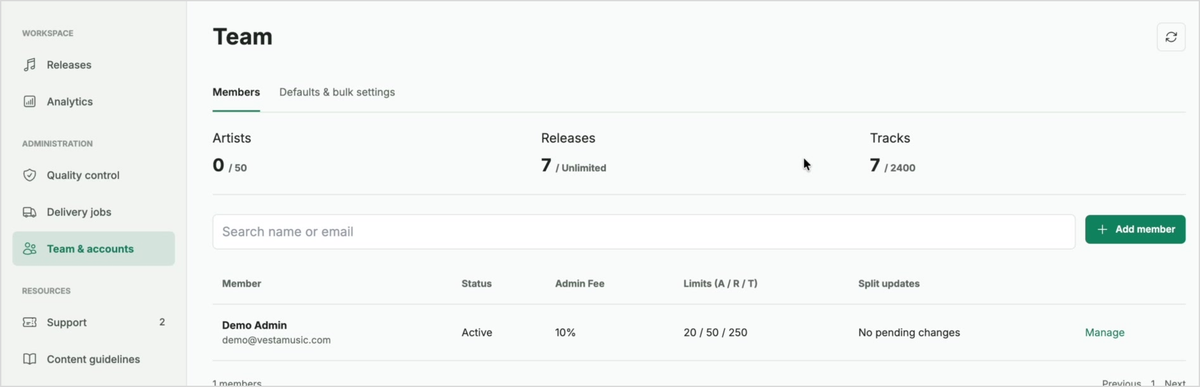
The Members tab shows your team and the Add member button. Add a member and set limits
Click Add member. Enter the member’s Name and Email, then set the Admin Fee (%), track, release and artist limits, and distribution lead time in days. Leave a limit blank to inherit its default. Review the Status field.
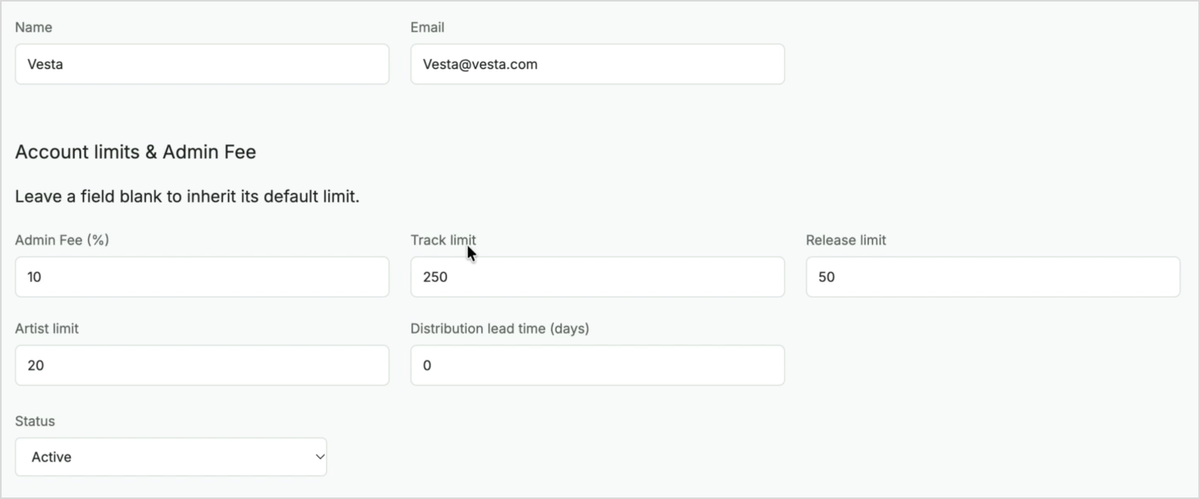
The member form contains identity details, account limits and status. Choose permissions
Scroll to Permissions. Select an Account role. With Custom permissions, tick the actions the member should be allowed to perform, such as managing releases, viewing analytics or managing users and limits.
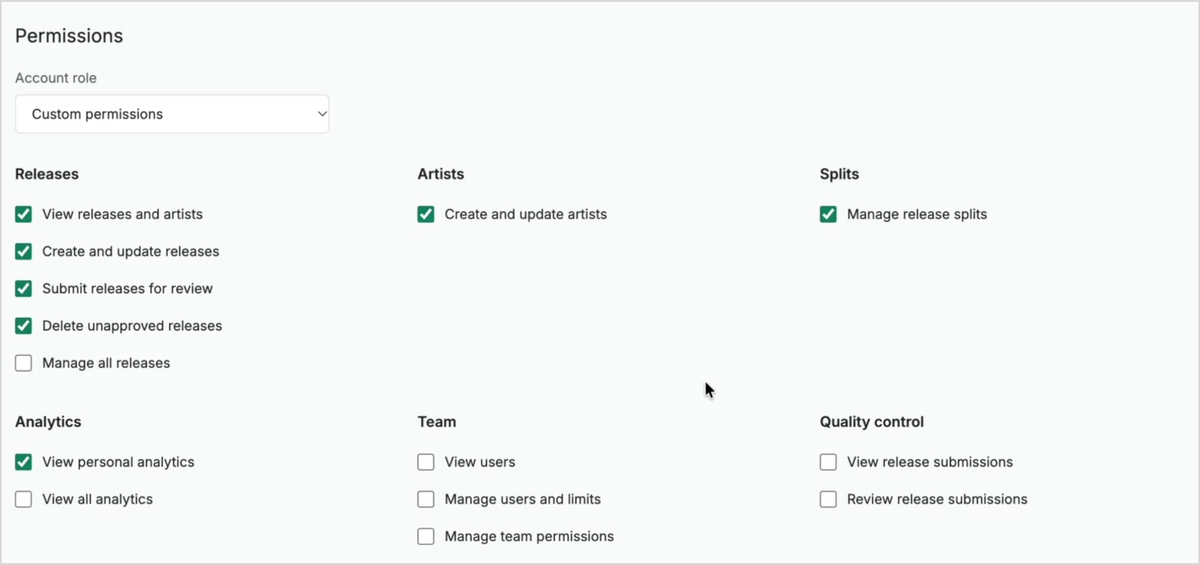
Custom permissions let you select access by area and action. Review and invite
Scroll through the remaining permissions, including delivery jobs, billing, domain, branding and support. Review the selected access, then click Invite member at the bottom of the form.
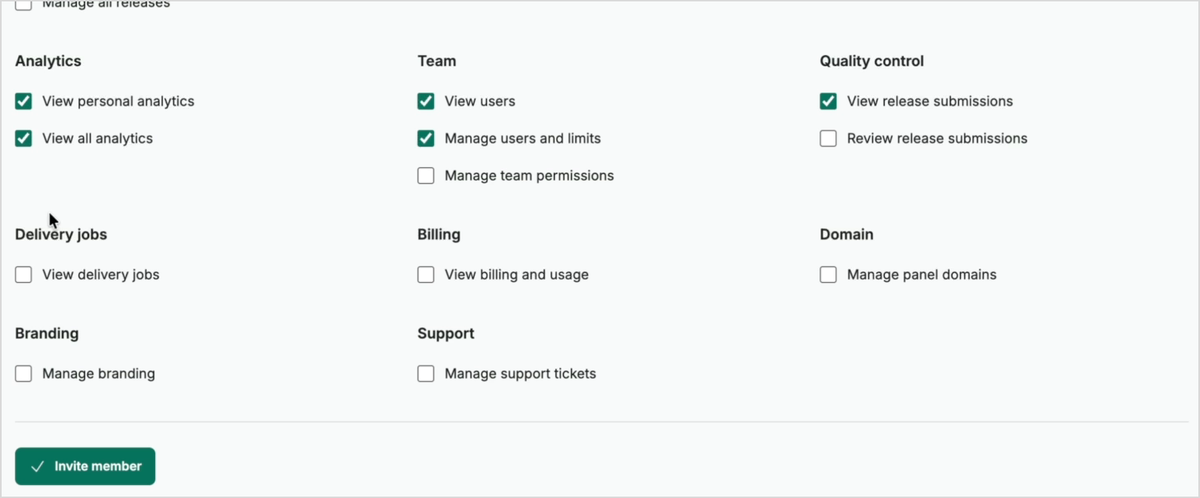
Review the remaining access settings before clicking Invite member. Update account defaults
Return to Team & accounts and open Defaults & bulk settings. Under Account defaults, enter the admin fee, track, release and artist limits, and distribution lead time you want to use.
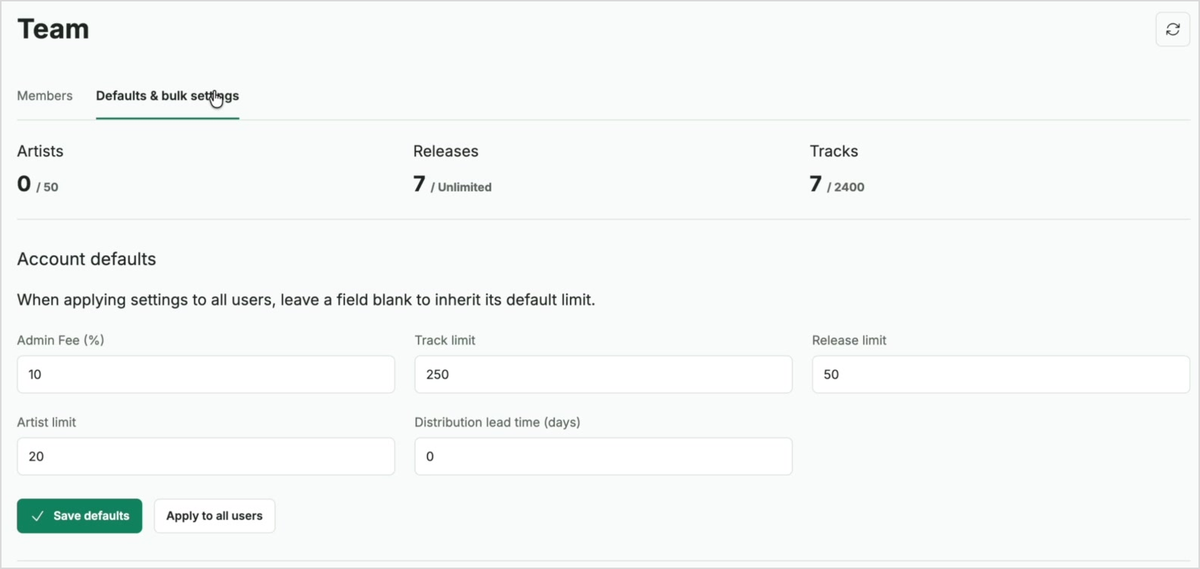
Defaults and bulk settings groups the account-wide values in one form. Save or apply the settings
Click Save defaults to save the default values. Use Apply to all users when you want to apply the settings across users. When applying settings to all users, leave a limit blank to inherit its default limit.
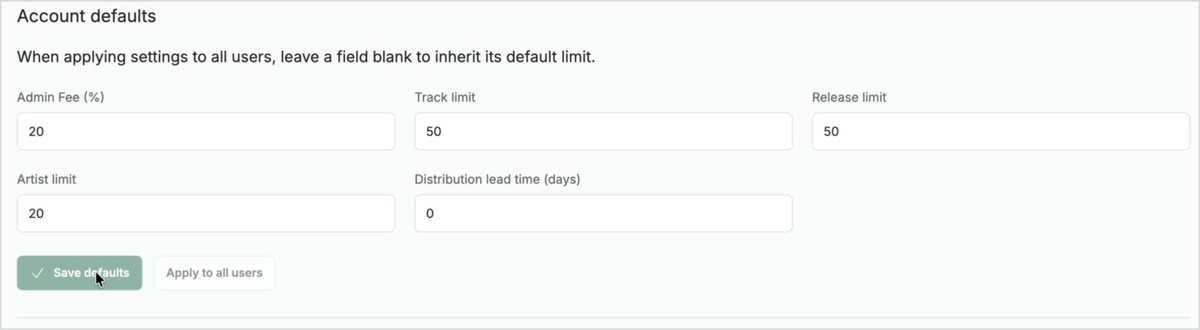
Save defaults and Apply to all users are separate actions.
You’re ready for the next step.
Need a hand with this guide? Talk to the Vesta team.